JSON to SQL Generator — Convert JSON to SQL INSERT Statements
JSON to SQL Generator
The JSON to SQL Generator turns JSON objects or arrays into ready-to-run SQL for INSERT, UPDATE, DELETE, and upsert workflows. It is ideal for quick data imports, database seeding, test fixtures, and lightweight migrations without writing manual SQL. Paste JSON, enter a table name, pick a database, and generate SQL instantly. All processing runs in your browser, so your data stays private.
This tool supports MySQL, PostgreSQL, SQLite, SQL Server, and Oracle. It maps JSON keys to column names, handles common data types, and can output single-row statements or multi-row batches for faster execution.
What this tool does
- Converts JSON objects or arrays into SQL for inserts, updates, deletes, and upserts.
- Supports MySQL, PostgreSQL, SQLite, SQL Server, and Oracle.
- Maps JSON keys to column names with optional identifier quoting.
- Handles strings, numbers, booleans, nulls, and JSON objects.
- Generates single-row statements or multi-row batches for faster inserts.
How to use the JSON to SQL generator (step-by-step tutorial)
- Paste JSON into the left editor.
- Enter a table name (for example,
usersorpublic.users). - Select your database and action (insert, update, delete, or upsert).
- Choose the output mode: Multi-row for batch inserts or Single-row for one statement per object.
- Click Generate SQL.
- Copy the output, download the SQL file, or go fullscreen for long results.
Use Load Sample if you want to test the tool quickly, and Clear Both to reset the editors.
Output modes: multi-row vs single-row
- Multi-row: Generates a single
INSERTstatement with multiple rows. Best for bulk inserts and faster execution. - Single-row: Generates one
INSERTstatement per object. Easier to debug and compare row by row.
Example: JSON array to SQL INSERT
Input JSON:
[
  { "id": 1, "name": "Avi", "active": true },
  { "id": 2, "name": "Riya", "active": false }
]
Table name: users
Output SQL:
INSERT INTO users (id, name, active) VALUES
  (1, 'Avi', TRUE),
  (2, 'Riya', FALSE);
Example: single object
Input JSON:
{ "id": 5, "email": "avi@example.com", "score": 9.5 }Output SQL:
INSERT INTO users (id, email, score) VALUES (5, 'avi@example.com', 9.5);Tutorial: generate UPDATE statements
- Select Update as the action.
- Provide a key column (for example,
id) that exists in the JSON. - Generate SQL to update all non-key columns for each object.
Tip: If your JSON includes columns you do not want to update, remove them before generating SQL.
Tutorial: generate DELETE statements
- Select Delete as the action.
- Provide the key column used in the
WHEREclause. - Generate SQL to delete one row per JSON object.
Tutorial: generate UPSERT statements
- Select Insert and choose an upsert mode (Auto or a specific database).
- Enter conflict columns or a key column for matching rows.
- Generate SQL to insert new rows or update existing ones.
Upsert output follows each database’s dialect (MySQL ON DUPLICATE KEY, Postgres/SQLite ON CONFLICT, SQL Server/Oracle MERGE).
Common errors and fixes
- Invalid JSON: SQL generation requires valid JSON. Use JSON Validator to fix syntax errors.
- Missing table name: SQL output requires a table name. Enter a valid name before generating.
- Nested objects: SQL inserts expect flat columns. Flatten your JSON with JSON Flatten first.
- Array values: Arrays are not directly supported in basic SQL inserts. Consider flattening or storing JSON in a text/JSON column.
- Reserved keywords: Column names that are SQL keywords may cause errors. Quote column names or rename keys.
- Upsert missing conflict columns: Provide key or conflict columns for MERGE/ON CONFLICT output.
Tips for better SQL output
- Keep column order consistent by normalizing keys in every object.
- Use ISO date strings (e.g.,
2024-12-25T10:30:00Z) for predictable inserts. - Review escaped strings if your data includes quotes or newlines.
- For complex objects, store them in a JSON/JSONB column rather than flattening.
Best practices for JSON to SQL
- Flatten nested JSON before conversion to avoid losing structure.
- Normalize column names to match your database schema.
- Validate SQL output with a test database or sandbox.
- Use a JSON column for complex nested data when needed.
- Format JSON with JSON Formatter before converting for clarity.
SQL dialect considerations
The generated SQL is standard, but some databases use different quoting and boolean conventions. If your table or column names include spaces or keywords, enable identifier quoting for safer output.
PostgreSQL prefers double quotes for identifiers and uses TRUE/FALSE booleans. MySQL uses backticks for identifiers and can use backslash escaping. SQLite accepts standard SQL but often stores booleans as integers. SQL Server uses brackets and supports OUTPUT for returning columns. Oracle uses double quotes for identifiers, stores booleans as 1/0, and uses MERGE for upserts.
Batch insert tips
For larger datasets, multi-row inserts are more efficient than one insert per row. This tool generates multi-row SQL when input is an array. If you still need smaller batches, split the JSON array and generate SQL in chunks.
Tutorial: prepare JSON for SQL
- Ensure each object uses the same keys.
- Flatten nested objects into dot-notation keys if your schema expects them.
- Convert arrays to joined strings or move them to a separate table.
- Run a quick validation using JSON Validator.
Escaping and safety
Strings are escaped to reduce SQL errors, but always review output before executing against production databases. For untrusted input, parameterized queries are safer than raw SQL. Use this tool for seeding, migration scripts, and controlled datasets rather than user-supplied data.
Column type mapping guidance
JSON numbers are converted to numeric SQL literals, strings to quoted text, booleans to TRUE/FALSE, and nulls to NULL. If your database uses specific types (e.g., JSONB in PostgreSQL), you may want to store complex objects as JSON text instead of flattening them into columns.
For timestamps or dates, store them as strings in ISO format unless your database expects a specific cast. You can add type casts manually in the generated SQL if needed.
Preparing data for inserts
Before generating SQL, make sure your JSON keys match the table columns. If you have nested keys, flatten them or rename them to align with your schema. For large datasets, consider splitting into batches and running inserts inside a transaction to reduce overhead.
Use cases
Database seeding: Generate insert statements for sample data in development.
Migration scripts: Convert JSON exports into SQL for import into relational databases.
Testing: Create deterministic test fixtures for backend integration tests.
Analytics: Move JSON datasets into SQL for reporting and dashboards.
ETL pipelines: Build repeatable import steps for small datasets.
How to Convert JSON to SQL Online
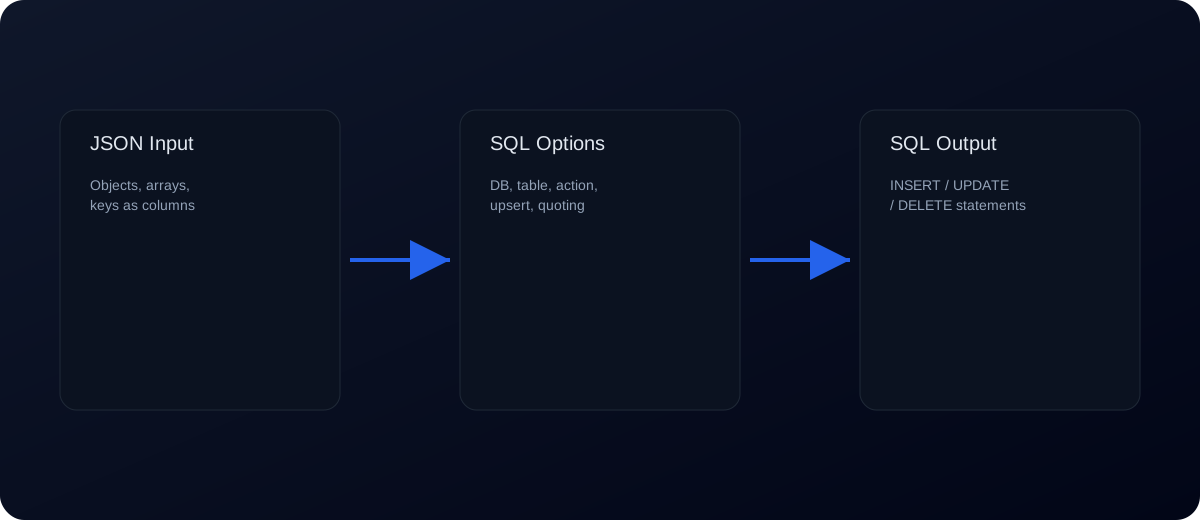
- Paste a JSON object or array of objects.
- Set a table name and choose your database (MySQL, Postgres, SQLite, SQL Server, Oracle).
- Click Generate SQL to get INSERT, UPDATE, DELETE, or UPSERT output.
FAQs
Does this tool handle nested JSON?
Nested objects should be flattened before converting to SQL inserts.
Can I generate SQL for multiple rows?
Yes. JSON arrays produce multi-row INSERT statements.
Can I generate one insert per row?
Yes. Switch the mode to Single-row for separate statements.
Is my data uploaded?
No. All conversion happens locally in your browser.
Does it support SQL dialects?
Yes. Choose MySQL, PostgreSQL, SQLite, SQL Server, or Oracle for dialect-specific output.
Can I generate DELETE statements?
Yes. Select Delete and set a key column for the WHERE clause.
How do I create upserts?
Choose an upsert mode and set conflict or key columns to generate the correct syntax per database.
What about RETURNING or OUTPUT?
Use the returning/output option for Postgres, SQLite, or SQL Server to include returned columns in the output.
How are booleans handled?
Booleans are converted to TRUE/FALSE in SQL.
What about null values?
Nulls are output as NULL in SQL.
Can I choose column order?
Columns are based on key order in the input. Reorder keys if needed.
How do I handle strings with quotes?
Strings are escaped to be SQL-safe, but review output if you have complex text.
Can I insert into multiple tables?
This tool generates SQL for one table at a time. Split your JSON or run separate conversions.
Can I generate UPDATE statements instead?
Yes. Select Update and provide a key column for the WHERE clause.
What if my JSON has different keys per object?
Normalize the data first so each object has the same keys, or split into separate inserts.
Can I include schema-qualified table names?
Yes. Enter names like public.users if your database supports schemas.
Will this create table definitions?
No. It only generates INSERT statements. Create tables separately.
Can I add ON CONFLICT or UPSERT logic?
You can manually edit the SQL output to include conflict handling if your database supports it.
Does it support transactions?
The output is raw SQL. Wrap it in a transaction block if needed.
Related tools: JSON to CSV, JSON Flatten, JSON Formatter, JSON Validator